Products / Case study

Devian Desktop
Developer tools
A control center for the AI coding agents on your machine.
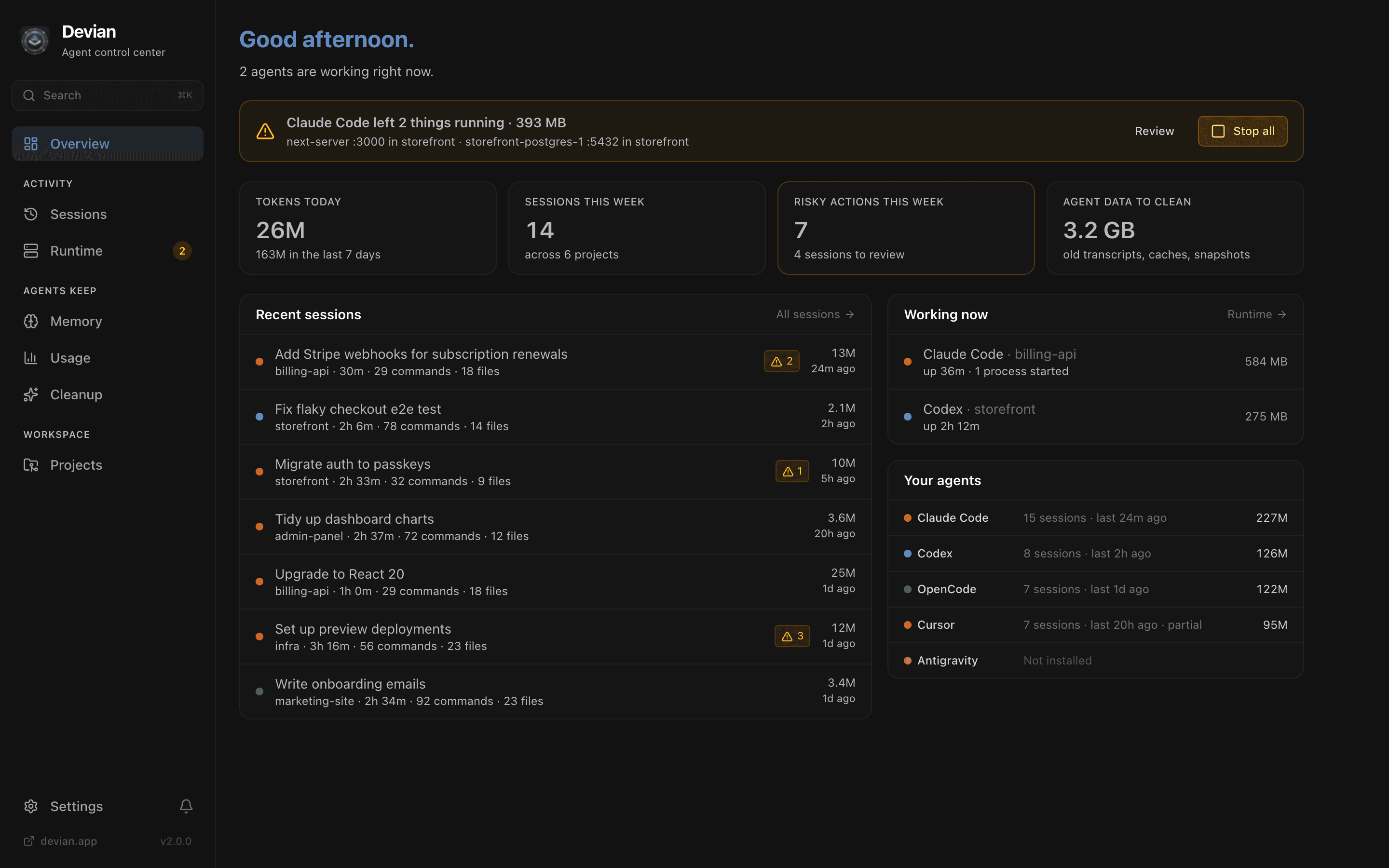
Devian shows what Claude Code, Codex, Cursor, OpenCode and Antigravity actually did on your machine: every session, command and file edit, the servers they left running, what they remember and how many tokens they used. Free, open source and fully local.
- Platforms
- macOS, Windows, Linux
- Status
- Version 2.0 · Pre-release
- Built by
- Devian Labs, in-house
- Stack
- Rust, Tauri 2, React 19, TypeScript
01The problem
AI coding agents now do a lot of work on developers' machines, and most of it happens out of sight. An agent runs commands, edits files, starts dev servers and Docker containers, writes to its own memory and burns through tokens. When the session ends, you're left to piece together what happened.
Every agent keeps its history in its own format, in its own folder. There was no single place to see what they did, what they left running, or how close you are to your plan limits.
02What we built
The product.
Sessions
One timeline across every agent: prompts, each command run and each file edited, with risky actions flagged.
Runtime
Processes, ports and Docker containers traced back to the session that started them. Leftovers stop in one click.
Memory
Everything agents load into context, from CLAUDE.md and AGENTS.md to Cursor rules and Codex memories. Read it, edit it or forget it.
Usage and plan limits
Tokens per day, agent, project and model, plus Claude and Codex 5-hour and weekly limits with their reset times.
Cleanup
Old transcripts, checkpoints, node_modules, build artifacts and Docker leftovers, moved to the Trash so nothing is lost.
MCP server
Read-only tools that let agents check running servers, find a free port and see what other agents did, instead of guessing.
03Under the hood
The engineering we own.
- 01
One adapter per agent
Each agent stores sessions differently. A Rust adapter per agent (Claude Code, Codex, OpenCode, Cursor, Antigravity) normalises them into one timeline, including several Claude Code accounts side by side.
- 02
Risk detection
A rules engine scans agent transcripts for force pushes, sudo, rm -rf outside the project, curl | sh, .env edits and global installs, and surfaces them for review.
- 03
Process lineage
Processes, ports and containers are traced back to the agent session that spawned them, so a server still running after the session ended shows up as a leftover.
- 04
Token accounting
Usage is broken down by day, agent, project and model, including cache reads and writes, and priced at API-equivalent rates.
- 05
An MCP server for agents
devian-desktop --mcp exposes read-only tools such as list_dev_servers, get_free_port and recent_agent_activity. Setup is one click, and it backs up each agent's config first.
- 06
Safe by default
Memory edits keep version history with conflict detection, cleanup goes to the Trash, and auto-updates from GitHub Releases are verified against a signing key.
04Key decisions
Local only
Agent history contains prompts, code and secrets. Devian reads it where it already lives and never uploads it. There are no accounts.
Read-only by default
Devian observes agents rather than controlling them, and the MCP server only exposes read-only tools.
One view across agents
Developers rarely use one agent. Devian puts five side by side.
Native and cross-platform
A Rust backend with a React frontend on Tauri, so it starts fast and runs on macOS, Windows and Linux.
05Where it is today
Version 2.0 · Pre-release
Devian started as a control center for a cluttered dev machine: projects, ports, Docker and disk. Version 2.0 rebuilds it around AI coding agents and is being prepared for release on macOS, Windows and Linux. Every feature will be free.
For your project
Need something like Devian Desktop?
The team and the engineering behind Devian Desktop are available for client projects and long-term partnerships.
Desktop apps
Native apps for macOS, Windows and Linux with Tauri and Rust: small, fast and auto-updating.
Plugins and integrations
Plugins, webhooks, importers and third-party API integrations that connect systems that don't talk to each other.
AI agents and MCP
MCP servers, agent tooling and LLM features with structured output, built with permissions in mind.
Next case study
Betelgeuse
Notes, docs and databases that stay yours.

Have something to build?
A new product, a project on any platform, or a long-term partnership. Tell us what you're working on and we'll reply within a day.
Or call +91 91876 57958